2024.1.x 2024.0.x 2023.23.x 2023.22.x 2023.20.x 2023.19.x 2023.18.x 2023.16.x 2023.14.x 2023.12.x 2023.10.x 2023.8.x 2023.6.x 2023.4.x 2022.56.x 2022.54.x 2022.52.x 2022.50.x 2022.48.x 2022.46.x 2022.44.x 2022.42.x 2022.40.x 2022.38.x 2022.36.x 2022.34.x 2022.32.x 2022.30.x 2022.28.x 2022.26.x 2022.24.x 2022.22.x 2022.20.x 2022.18.x 2022.16.x 2022.14.x 2022.12.x 2022.10.x 2022.8.x 2022.6.x 2021.56.x 2021.54.x 2021.52.x 2021.50.x 2021.38.x 2021.10.x English German

Device Overview

Function View

The Function is shown at the top:

It displays all the devices which are connected with SICON software. Hence you can access all devices without any relationship.
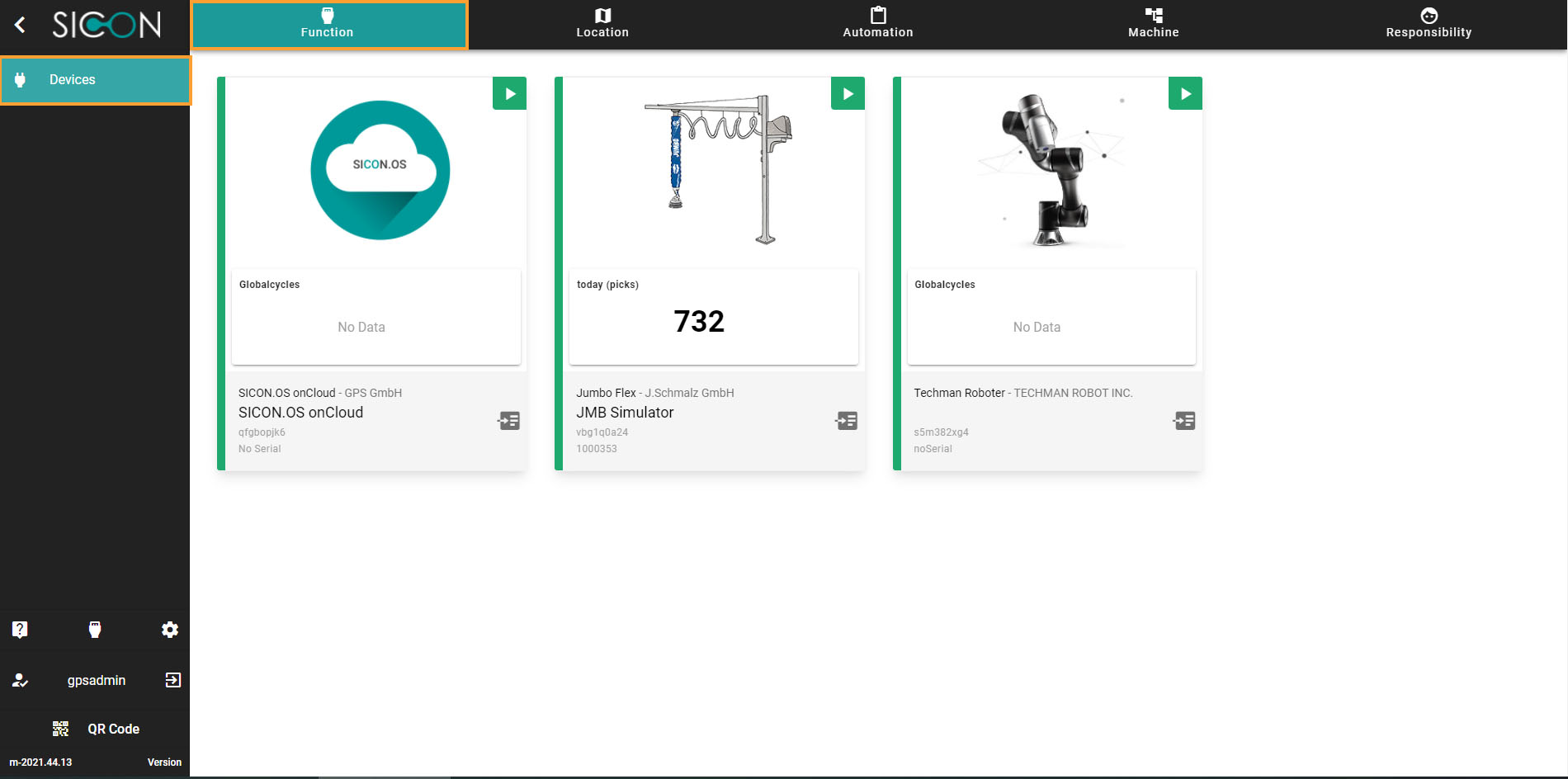
Homescreen_Devices_01.jpg

Device Card Information

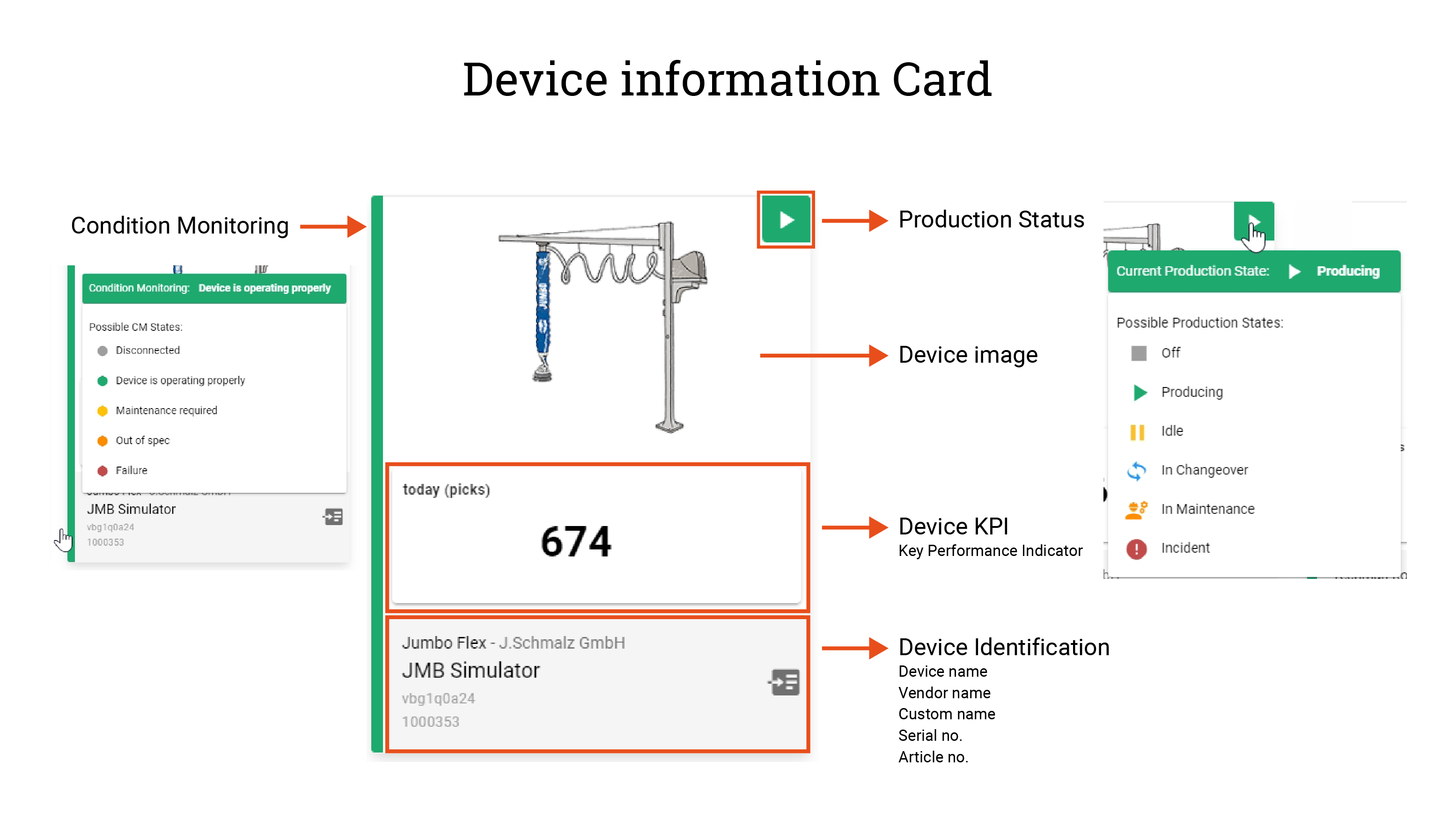
The Device card shows the following information:

  • Condition Monitoring

  • Production Status

  • Device Image

  • KPIs (Key Performance Indicator)

  • Device Identification

    Device information Card_detail-01.png