2024.1.x 2024.0.x 2023.23.x 2023.22.x 2023.20.x 2023.19.x 2023.18.x 2023.16.x 2023.14.x 2023.12.x 2023.10.x 2023.8.x 2023.6.x 2023.4.x 2022.56.x 2022.54.x 2022.52.x 2022.50.x 2022.48.x 2022.46.x 2022.44.x 2022.42.x 2022.40.x 2022.38.x 2022.36.x 2022.34.x 2022.32.x 2022.30.x 2022.28.x 2022.26.x 2022.24.x 2022.22.x 2022.20.x 2022.18.x 2022.16.x 2022.14.x 2022.12.x 2022.10.x 2022.8.x 2022.6.x 2021.56.x 2021.54.x 2021.52.x 2021.50.x 2021.38.x 2021.10.x English German

Network

Once you have opened the Home screen of the SICON.OS interface:

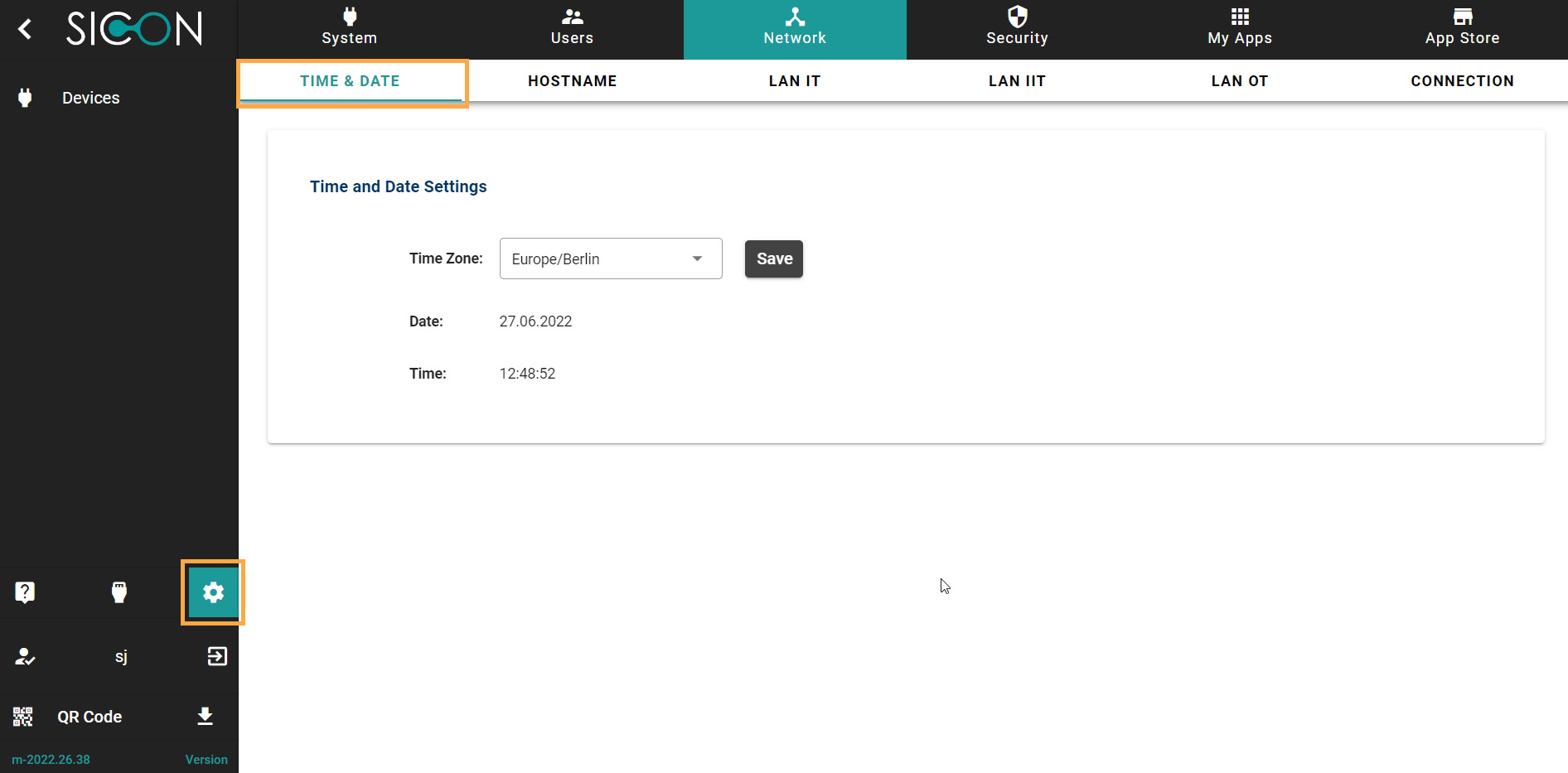
On the navigation panel click on Settings to open the System management section.

Network section is divided into six subsections:

  1. TIME & DATE

  2. HOSTNAME

  3. LAN IT

  4. LAN IIT

  5. LAN OT

  6. CONNECTION

N_01.jpg

Let’s understand these one-by-one.

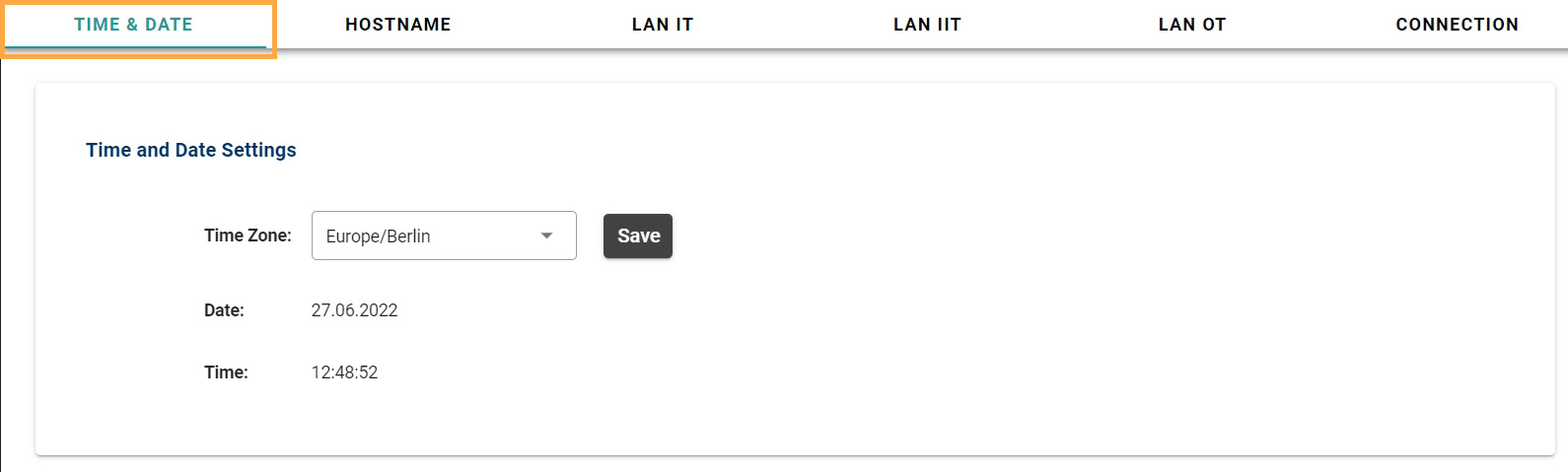
TIME & DATE

Here you can manage the Time and date settings.
N_011.jpg

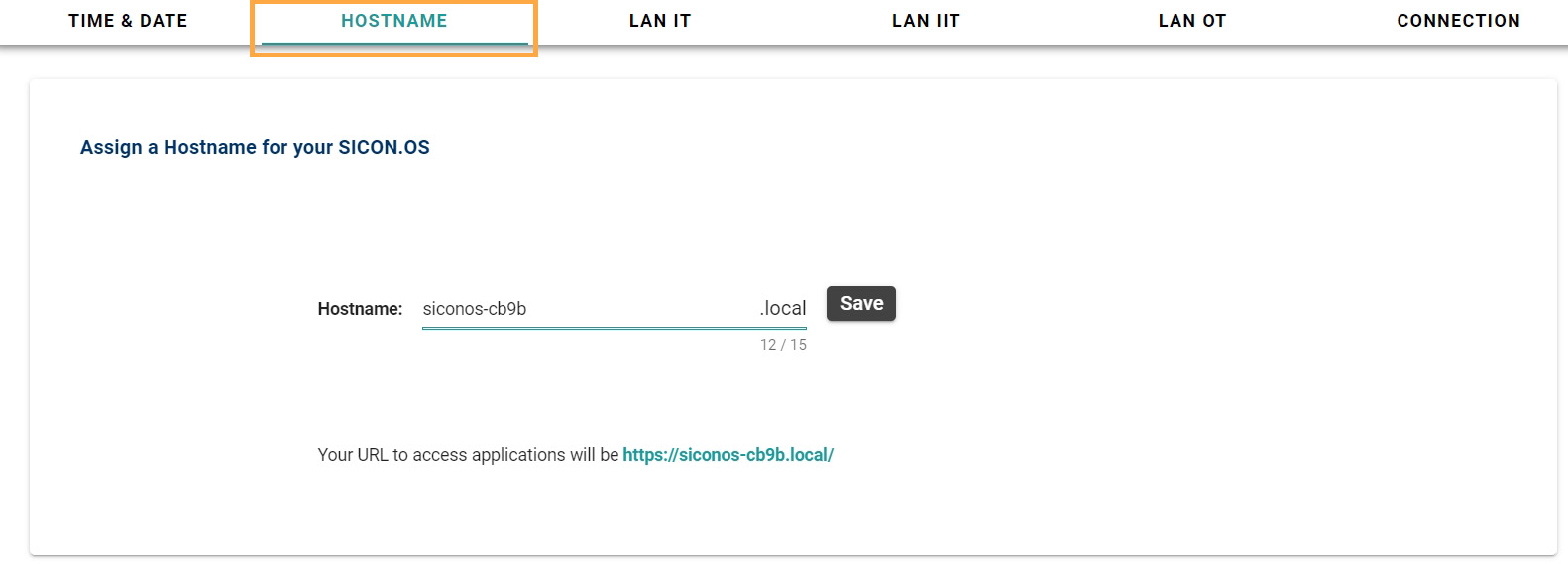
HOSTNAME

Here you can see the Hostname of your SICON.OS to access the applications of SICON.OS
N_02.jpg

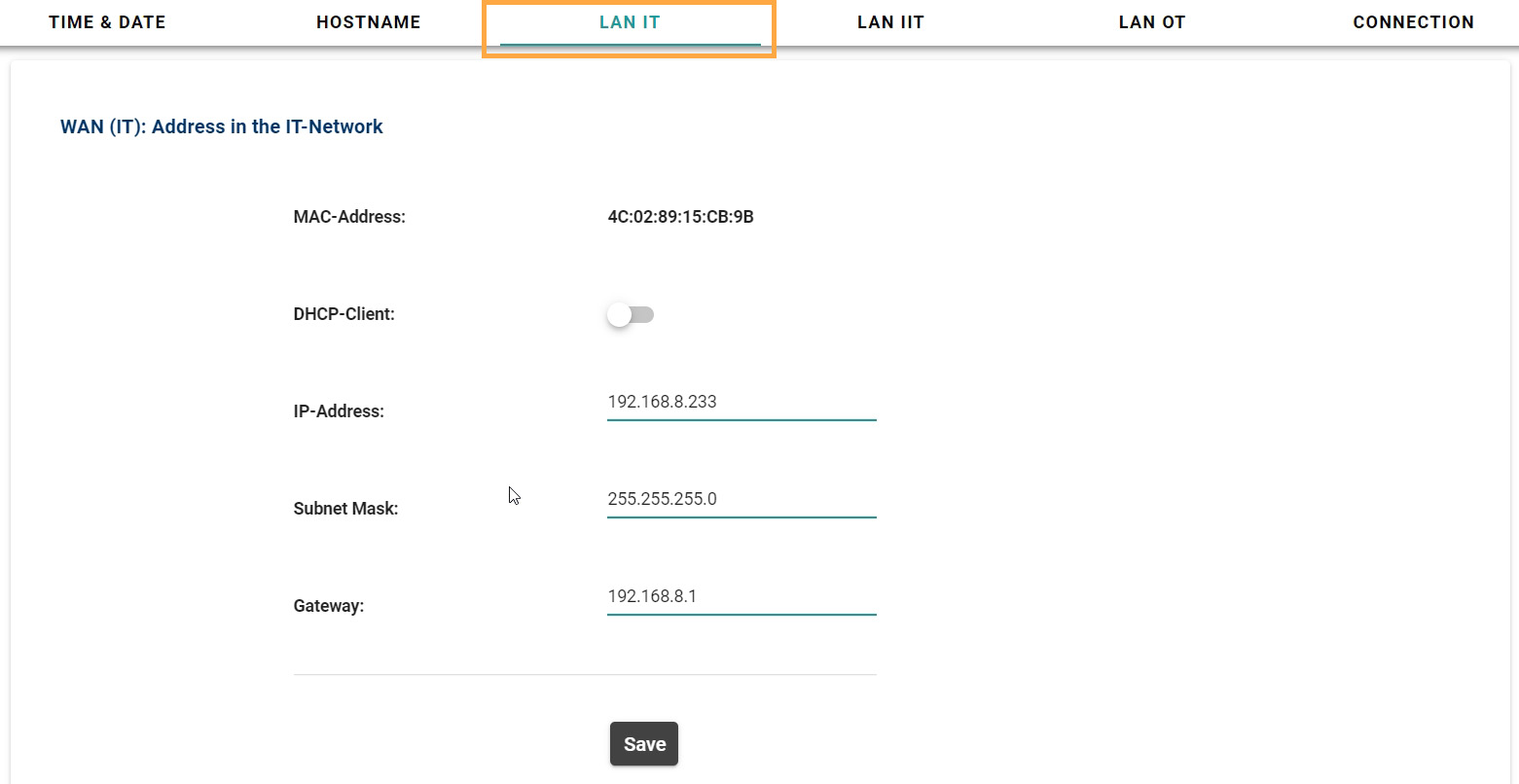
LAN IT

Here you can see the address in the IT-Network.
N_05.jpg

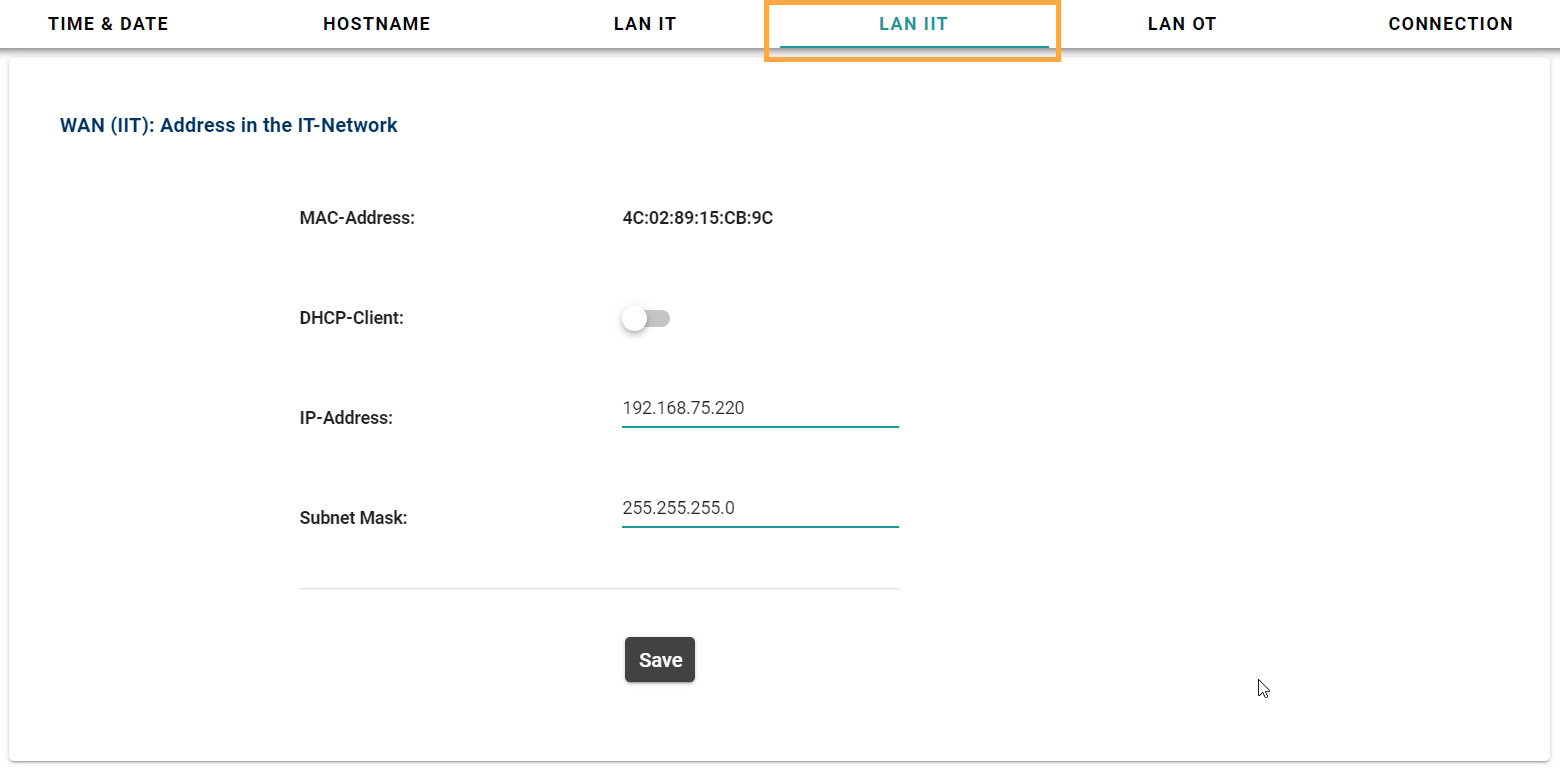
LAN IIT

Here you can see the address in the IIT-Network.
N_06.jpg

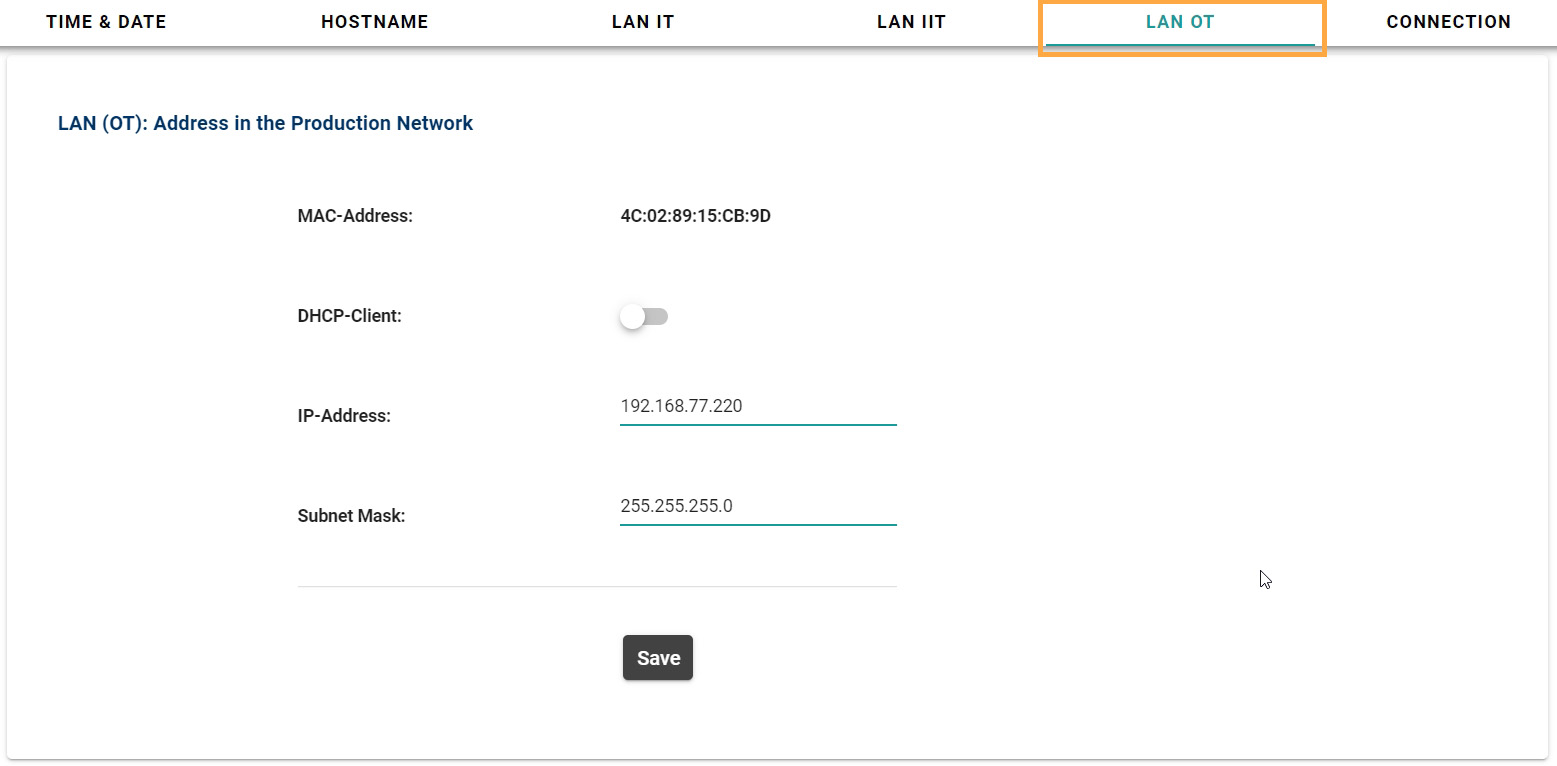
LAN OT

Here you can see the address in the Production Network.
N_04.jpg

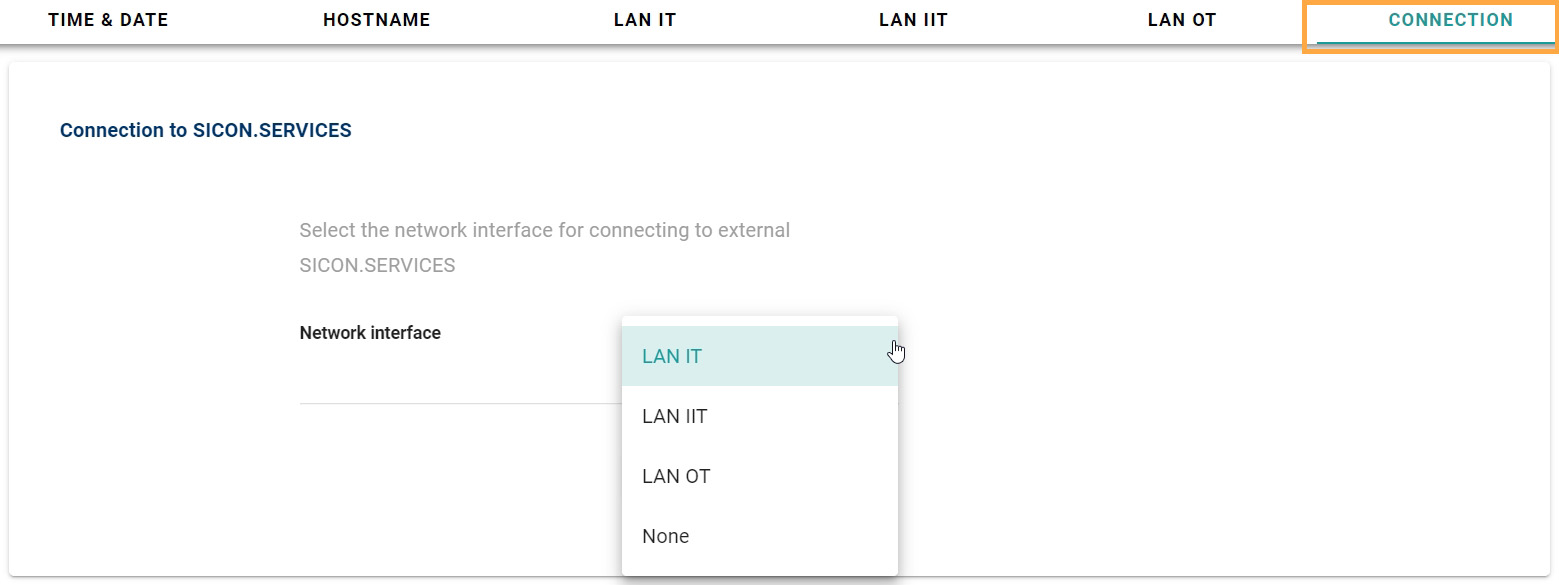
CONNECTION

Here you can select the network interface for connecting to the external SICON services.
N_03.jpg