
Your Industrial Edge Gateway connection hub for Email, Microsoft Teams, Slack, and browser notifications.
The Reports & Notifications feature allows you to receive information from your industrial devices without switching between multiple applications. Notifications and reports can be delivered directly to your email, collaboration tools, or accessed through your browser.
After completing the setup using the SICON.Toolbox App, you can configure the gateway to automatically send device status updates, alerts, and reports to your preferred communication platform.
Overview
Managing industrial device communications across multiple systems can quickly become complex. Important information may be scattered across dashboards, monitoring tools, and logs.
The Reports & Notifications feature centralizes device communication by automatically distributing updates to the platforms your team already uses.
Instead of constantly monitoring device dashboards, your team receives automated notifications whenever important events occur.
This ensures:
-
Faster responses to issues
-
Improved operational visibility
-
Better collaboration across teams
Reports & Notifications App Configuration
Steps to configure the Reports & Notifications app settings:
-
Log in to your SICON.OS and open the System management .
-
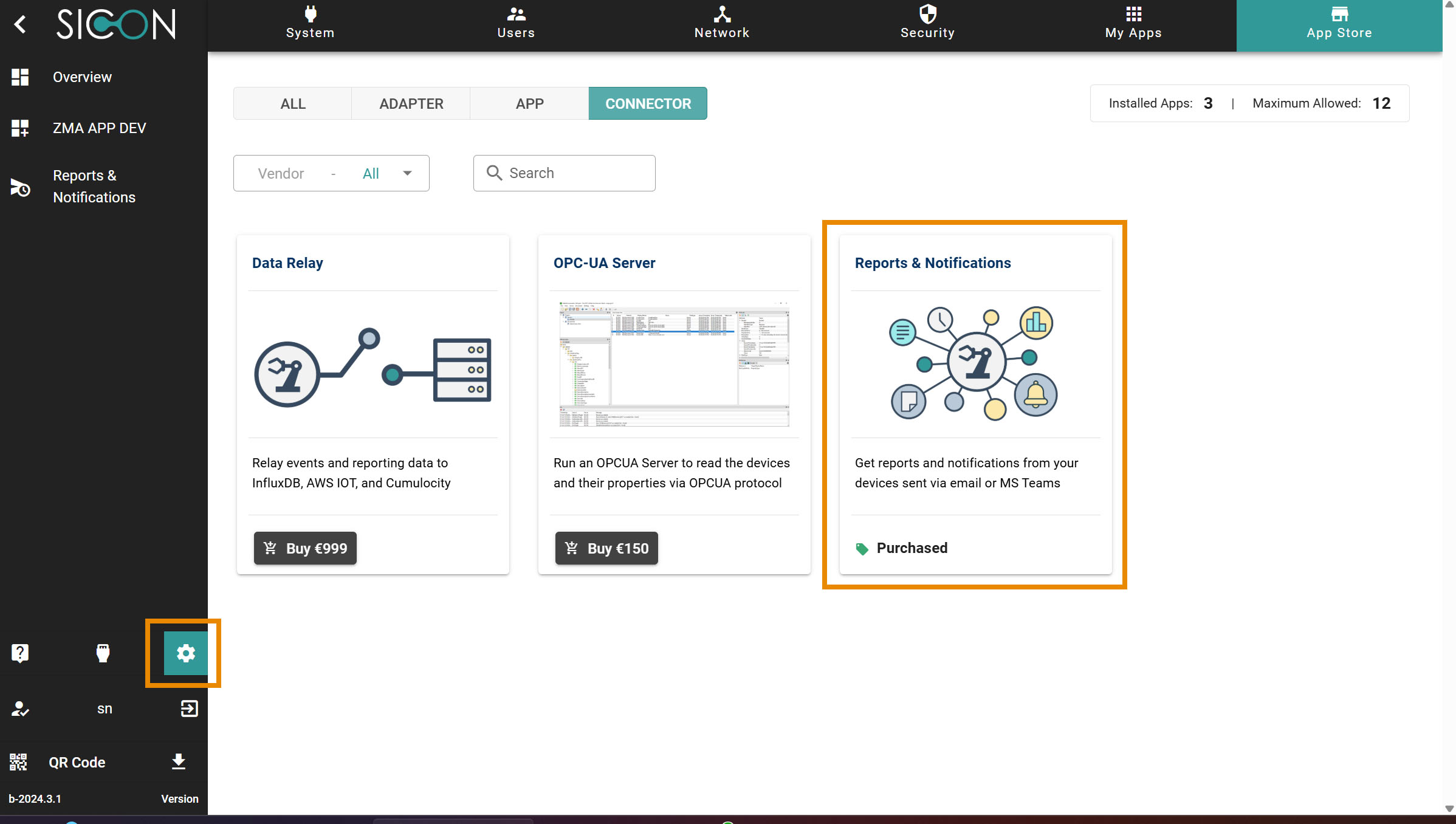
Now open the App store and search for Reports & Notification app
-
Buy and Install the Reports & Notification app.
-
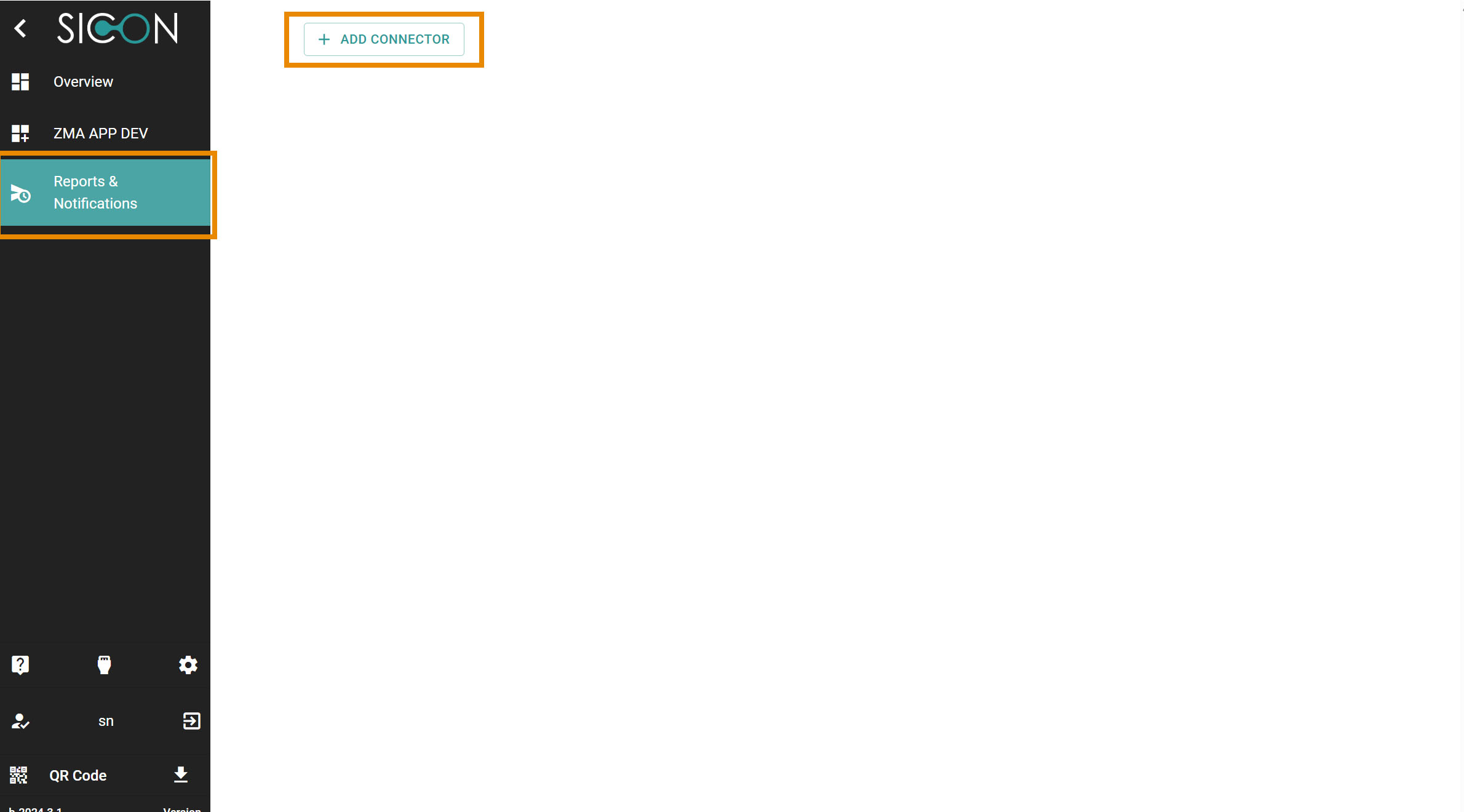
Go to the Sidebar menu. Click & open the Reports & Notification app.
-
Clico on Add Connector to add the connector.
-
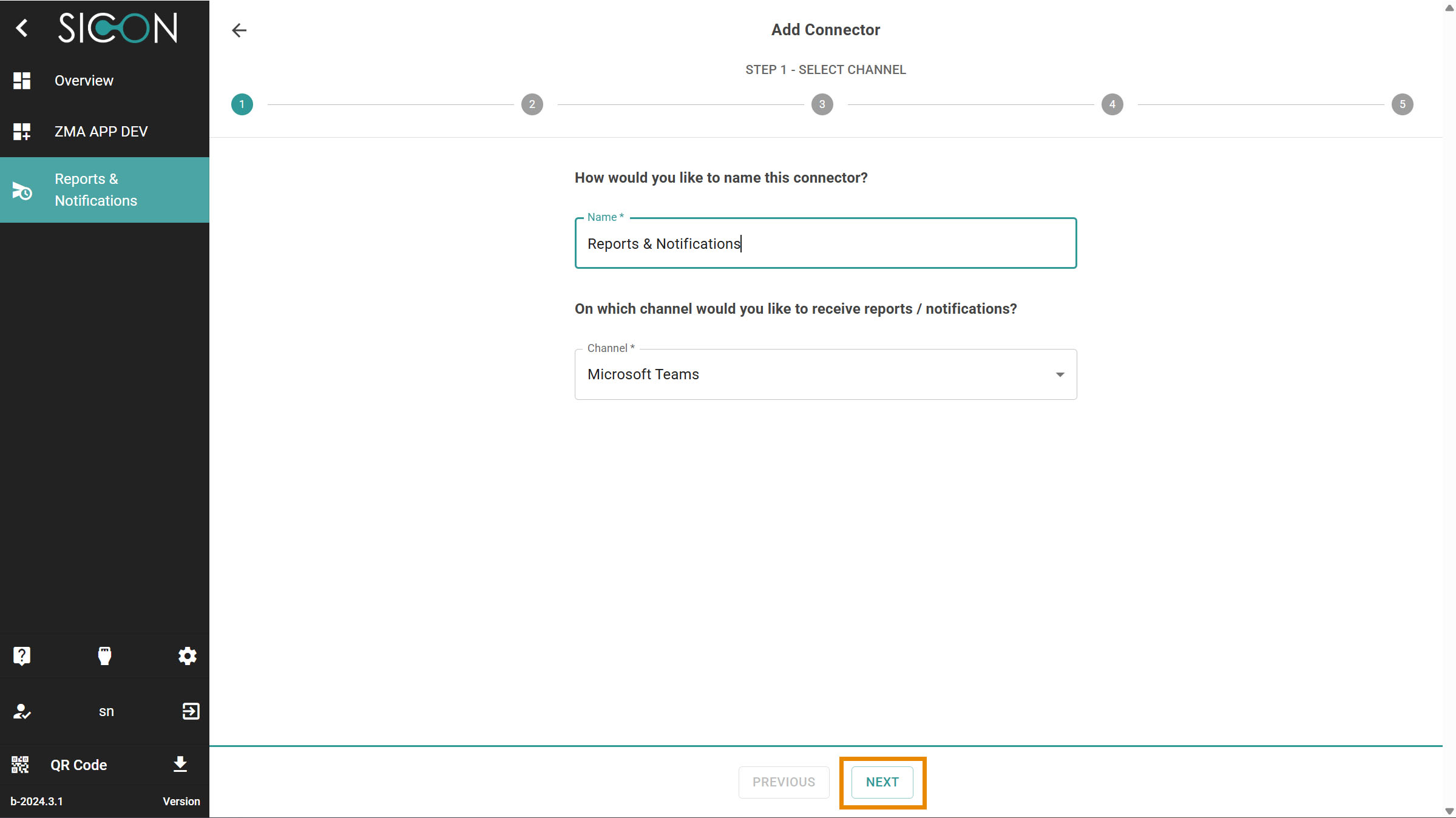
Follow the first step Select Channel to give the name of the channel & select one of the channel to receive the reports & Notification.
-
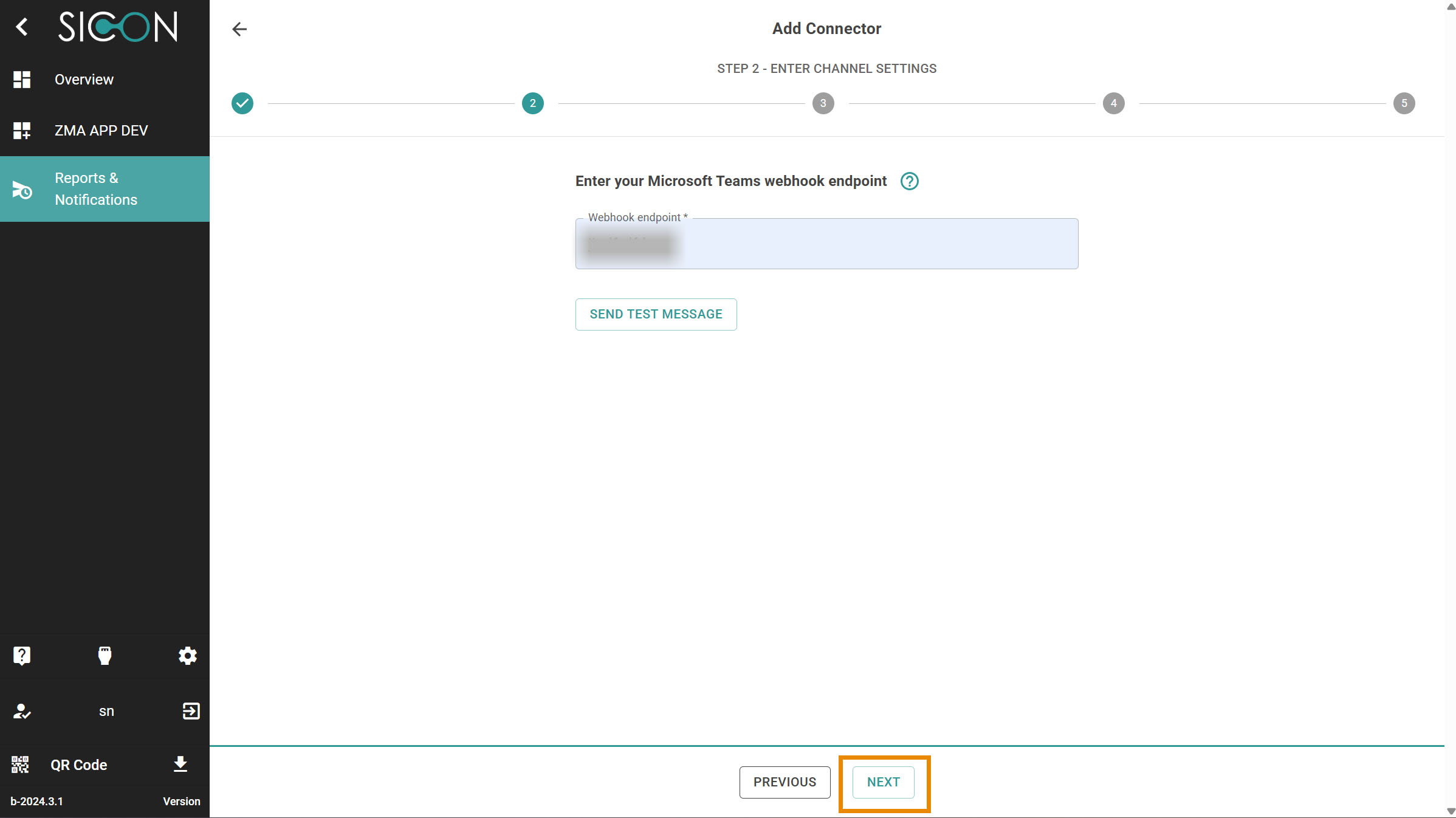
Step 2: Enter Channel Settings and click on Next.
-
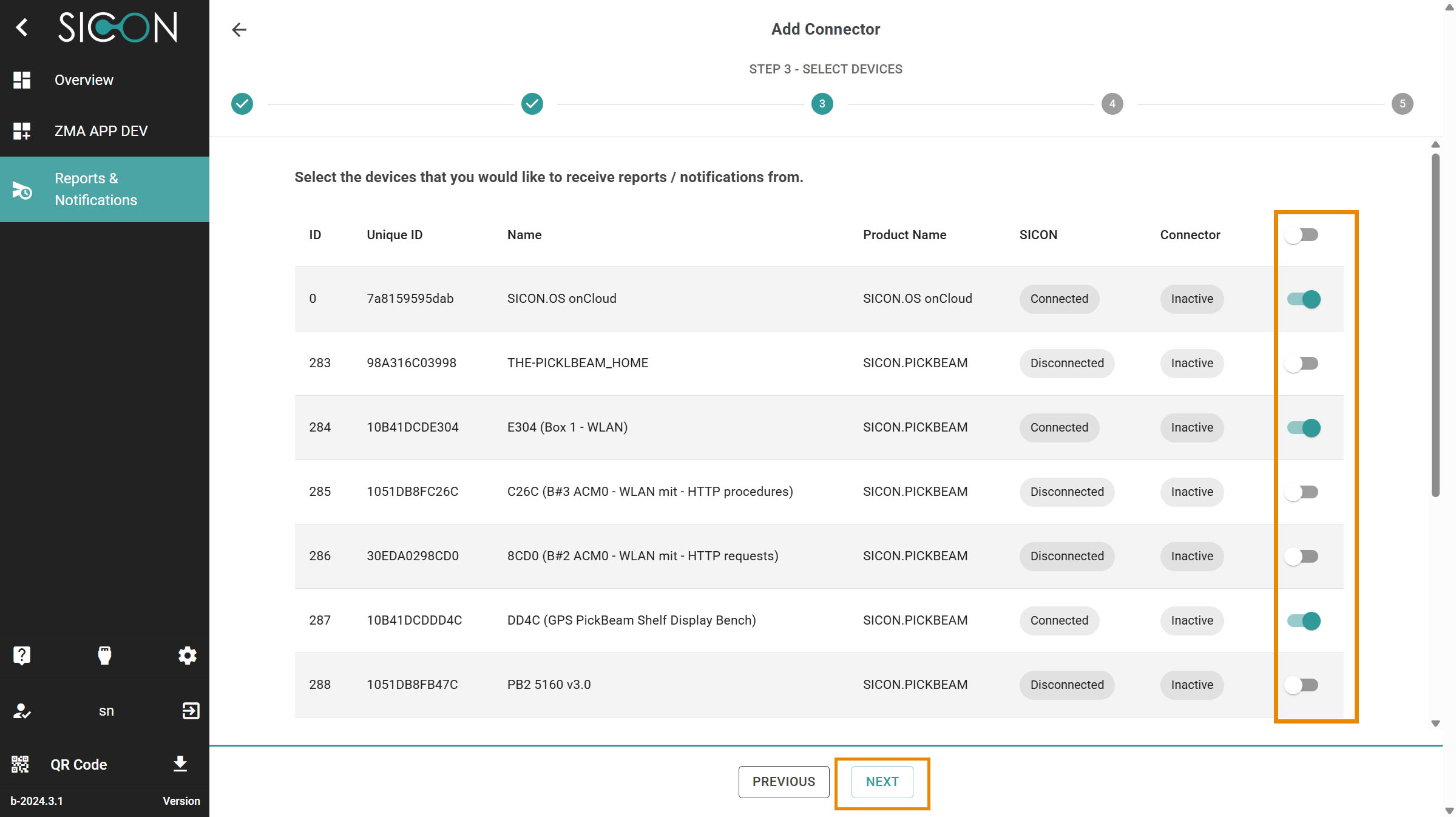
Step 3: Select Devices and click on Next.
-
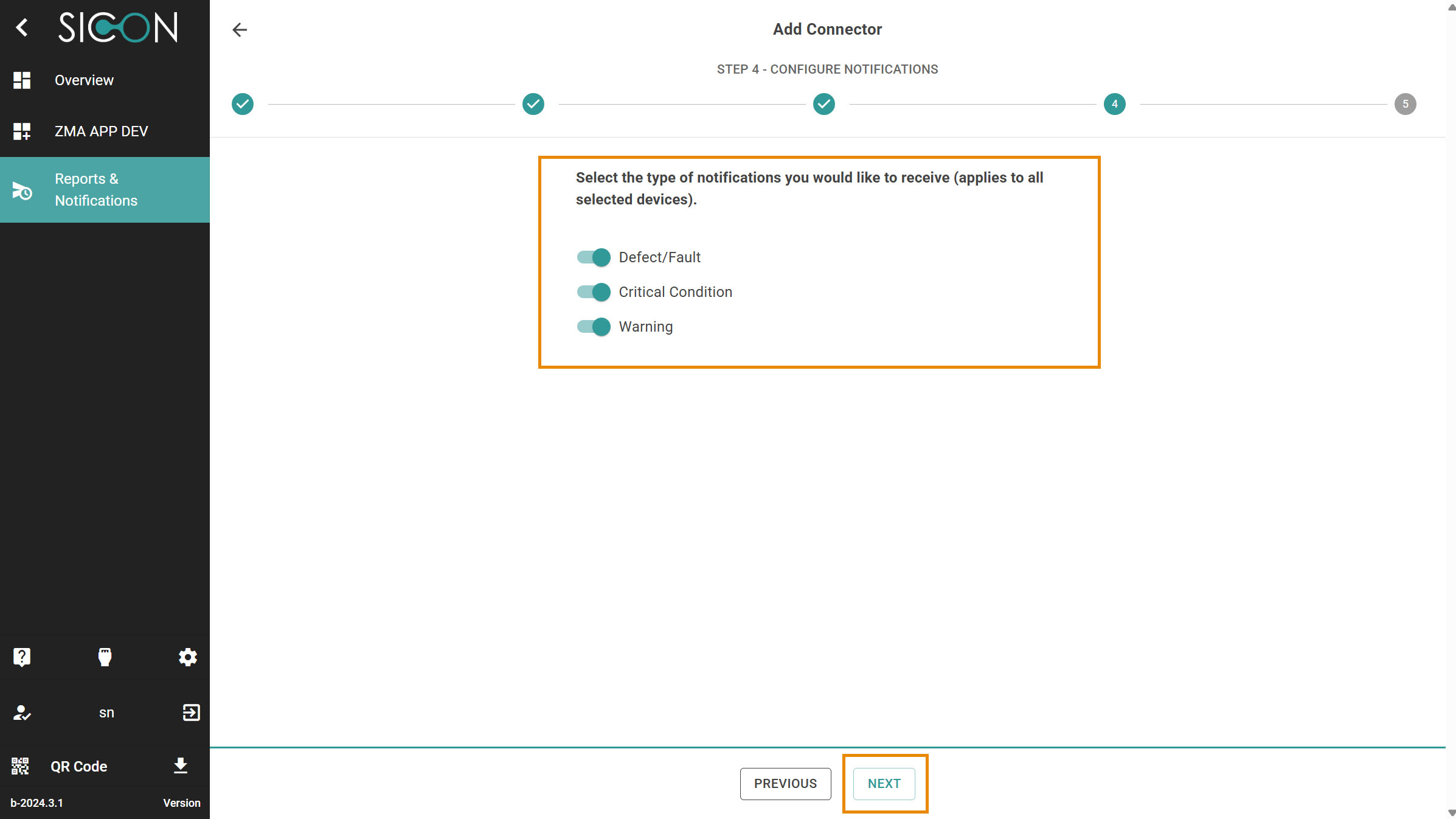
Step 4: Configure Notifications and click on Next.
-
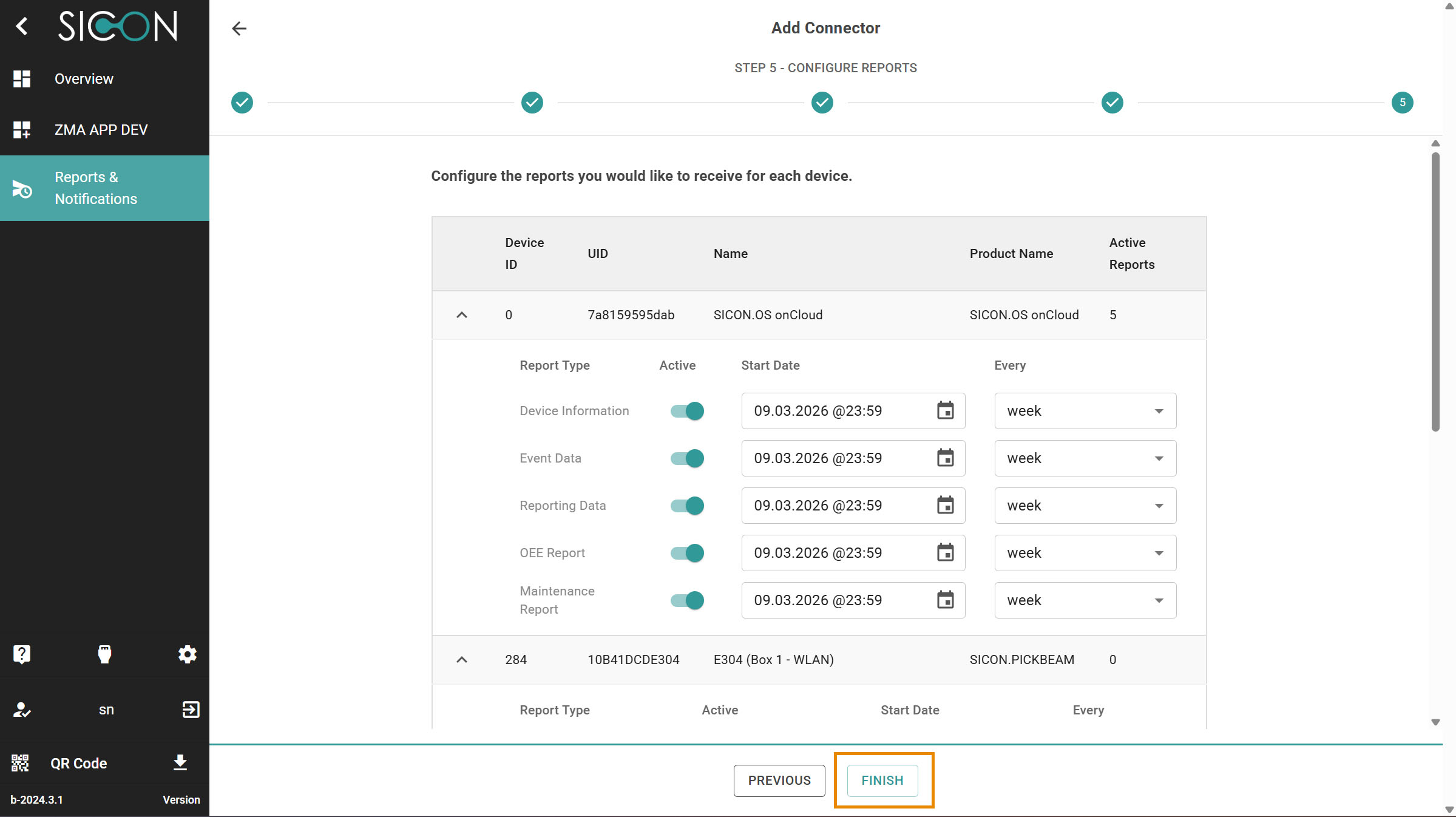
Step 5: Configure Reports. You can schedule the Date, time and week settings for the reports also. Click on Finish .
-
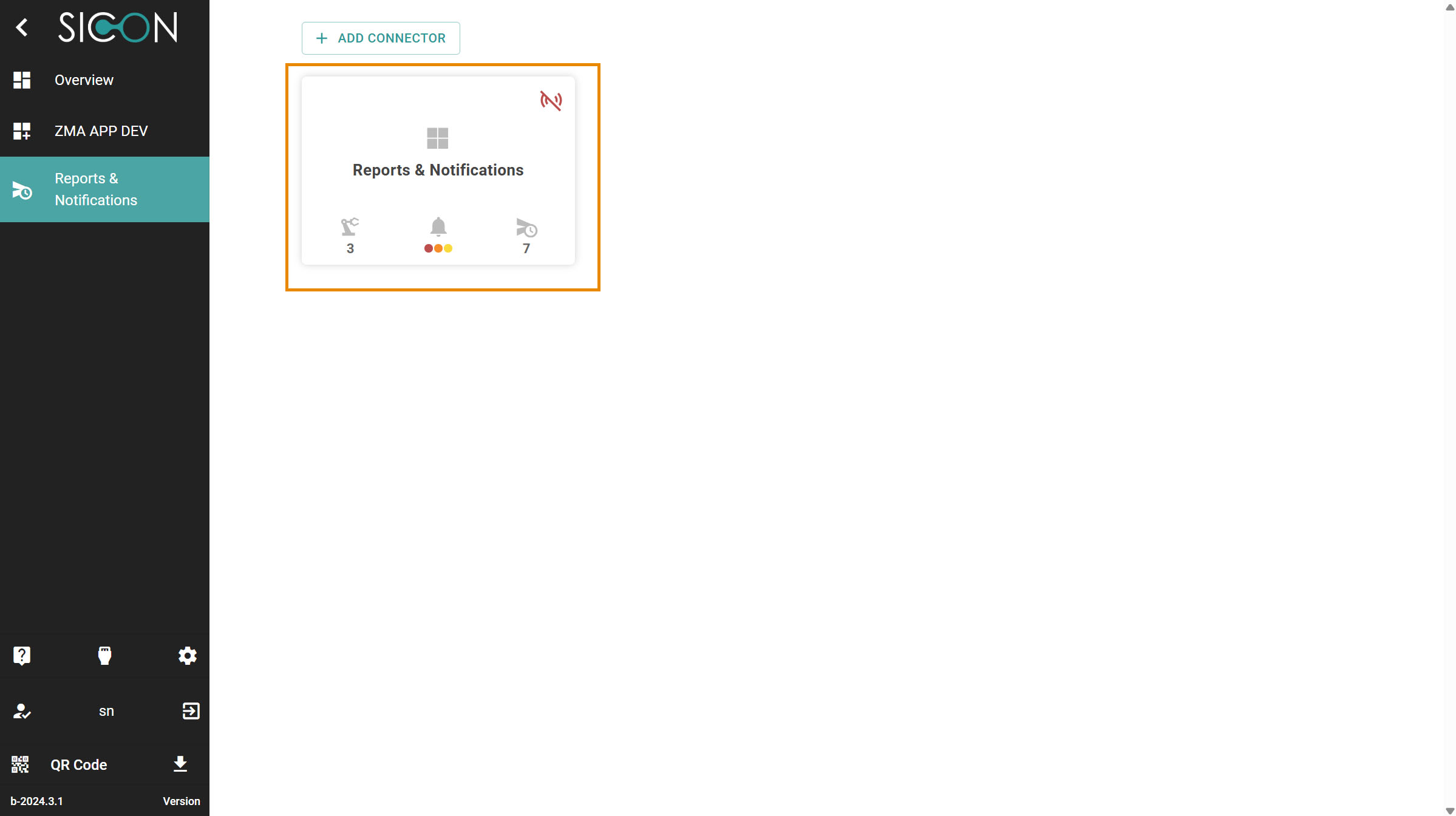
Now the Reports & Notifications has been configure. You will see the on the dashboard the Reports & Notifications card.
-
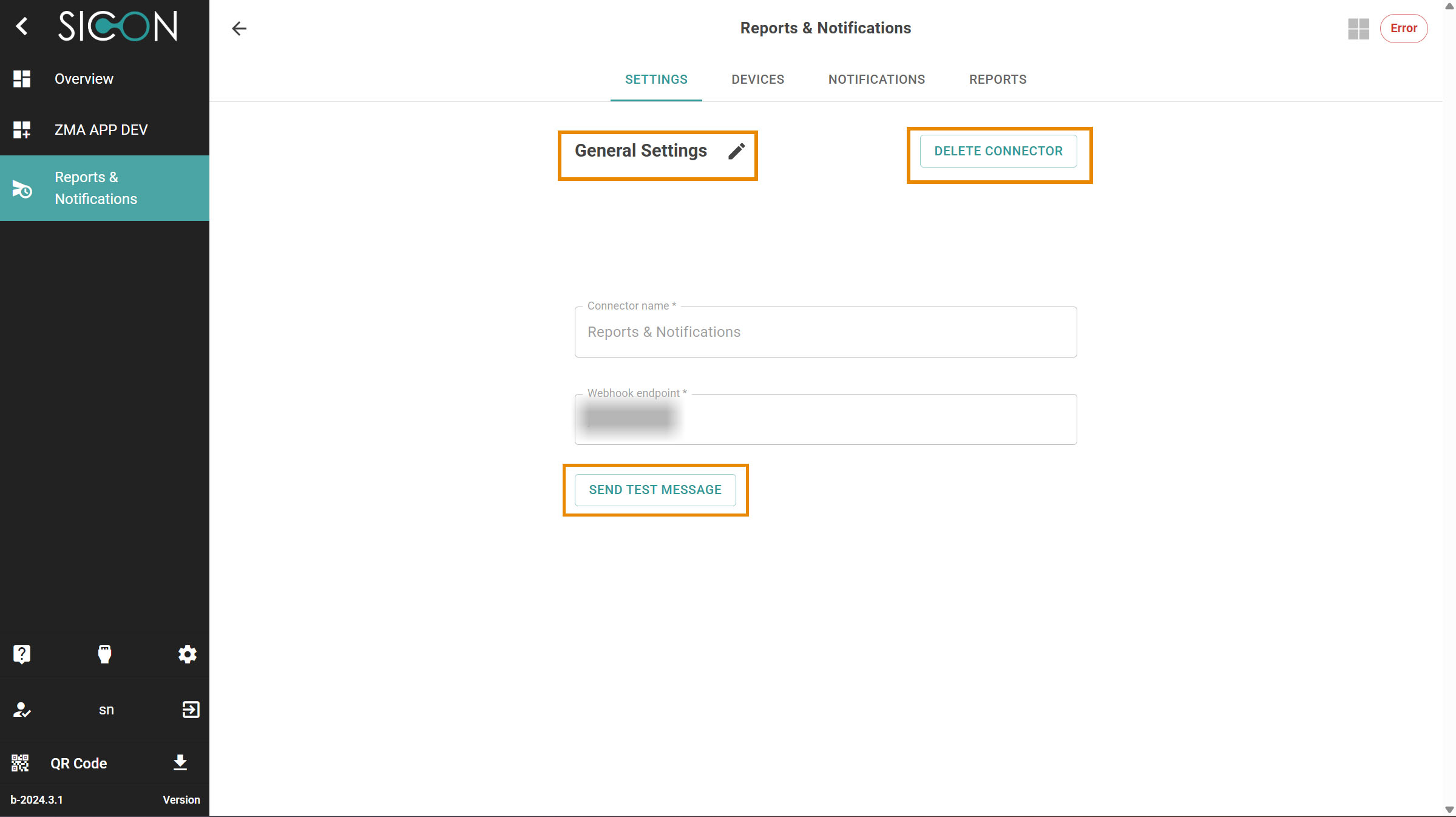
Now open the card & here you will find the settings for the app.
-
Settings
-
Devices
-
Notifications
-
Reports
-
Key Features
1. Seamless Connectivity
Connect your industrial devices to commonly used communication platforms:
-
Email
-
Microsoft Teams
This integration eliminates communication silos and ensures all relevant information reaches the right team members.
2. Real-Time Insights
Receive instant notifications about device status and performance.
Real-time alerts allow your team to:
-
Monitor device activity
-
Detect issues early
-
Respond quickly to operational events
This helps maintain system reliability and minimize downtime.
3. Alerts
Customize notifications to match your operational requirements.
Examples include:
-
Critical system alerts
-
Device error notifications
-
Maintenance reminders
-
Routine status updates
By tailoring notifications, you ensure that only relevant information is delivered to the appropriate teams.
4. Access Information Anywhere
Stay connected to your industrial infrastructure regardless of location.
You can receive notifications while:
-
On the factory floor
-
In the control room
-
In meetings or offices
-
Working remotely
This allows for faster decision-making and improved responsiveness.
5. Simple Integration
The Reporting & Notifications feature is designed for quick and easy configuration.
Basic setup steps include:
-
Open the Reports & Notifications application.
-
Select your preferred notification platform.
-
Configure notification triggers and recipients.
-
Save your settings.
Once configured, the system will automatically deliver notifications whenever defined events occur.
Benefits
Using Reports & Notifications provides several operational advantages:
-
Improved visibility into device status
-
Faster reaction to system events
-
Reduced need for manual monitoring
-
Centralized communication for operations teams
-
Increased operational efficiency
Next Steps
After enabling Reports & Notifications, you can further enhance your industrial edge environment by:
-
Integrating additional applications
-
Automating operational workflows
-
Using APIs for advanced data integration